
Step-by-step payment guide
How to Pay — Step-by-Step Guide
Echelon Labs checkout is powered by our secure payment partner. You can pay by card or directly with crypto — no crypto experience required. Here's exactly what to expect at each step.
EASIEST — NO CRYPTO NEEDED
Option 1: Paying by Card (No Crypto Needed)
1
At checkout, select “Pay by Card or Crypto” and click Place Order.
2
You'll be redirected to our secure payment page — choose to pay by card.
3
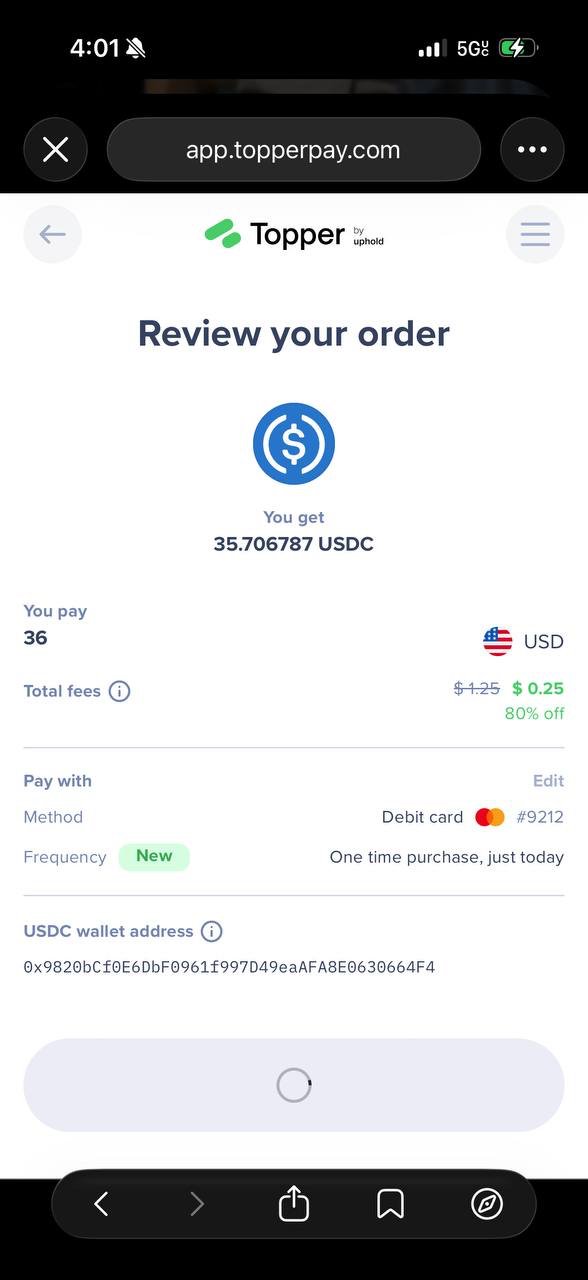
Enter your card details and review the order total (a small network fee, usually under $1, is added).
4
On your first purchase you'll complete a quick one-time identity check — this protects you and us from fraud and won't repeat on future orders.
5
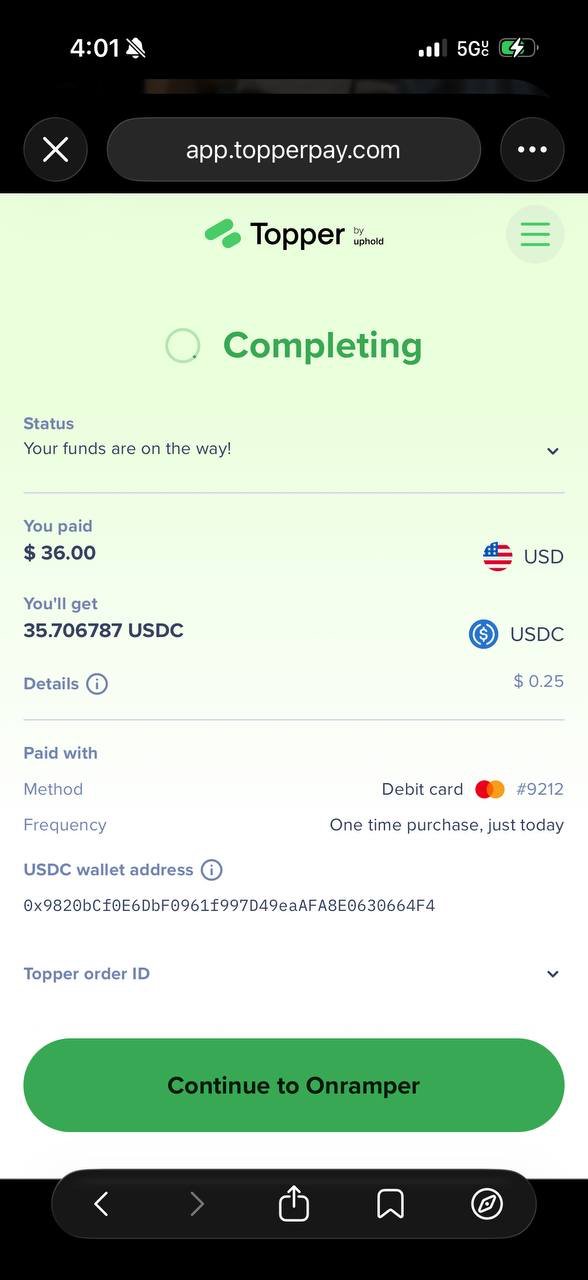
Your payment is automatically converted and sent to complete your order — no wallet needed.
6
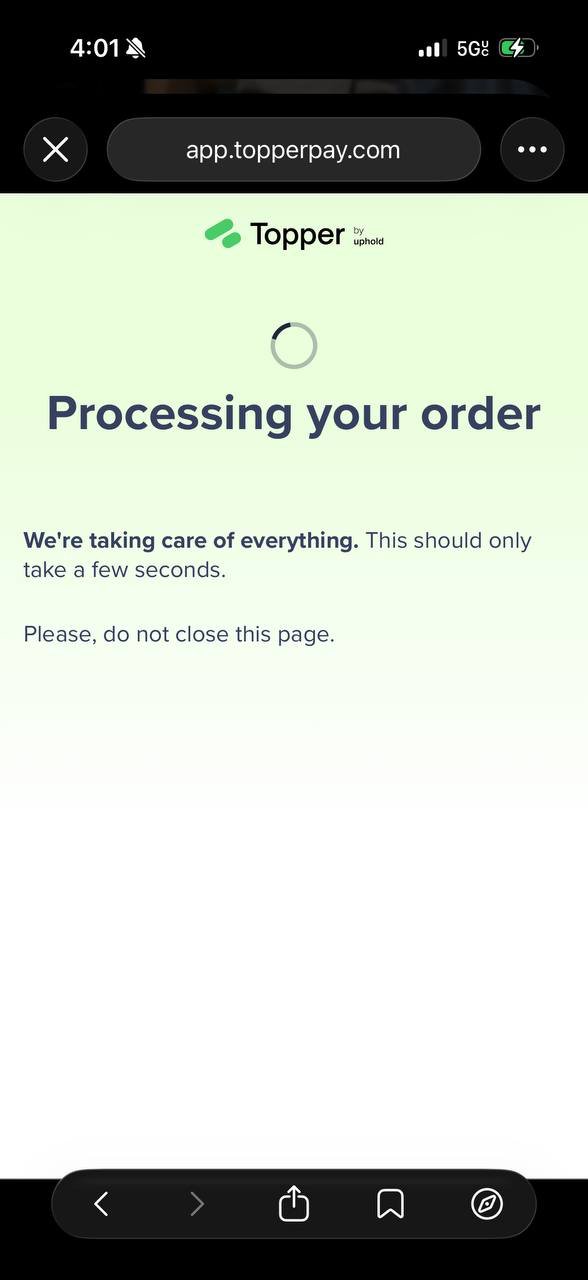
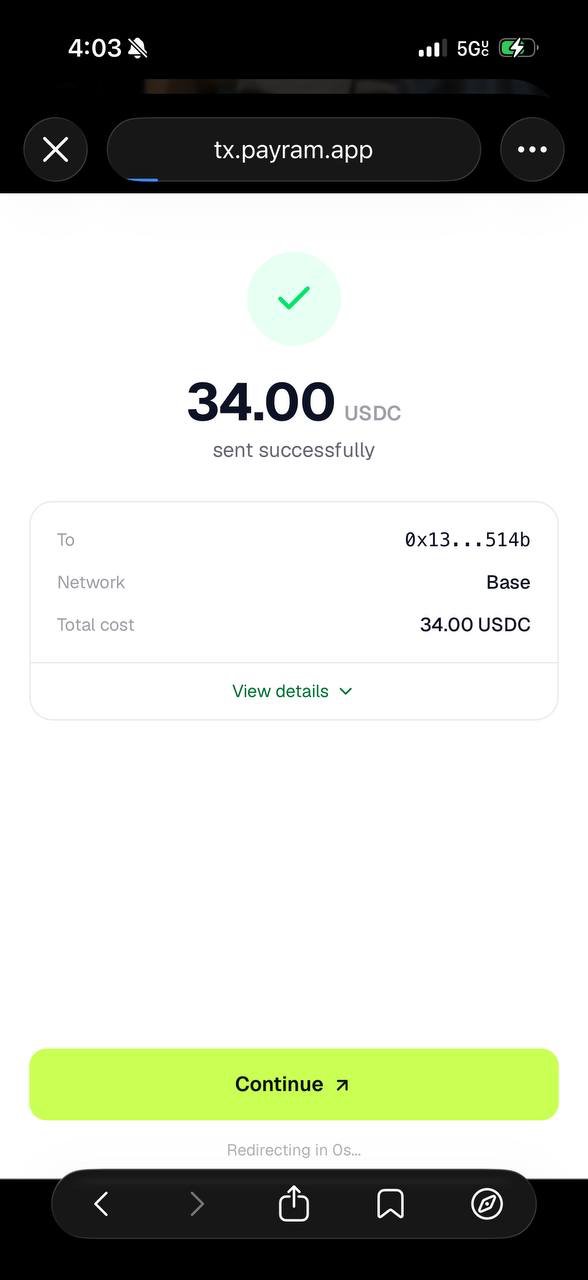
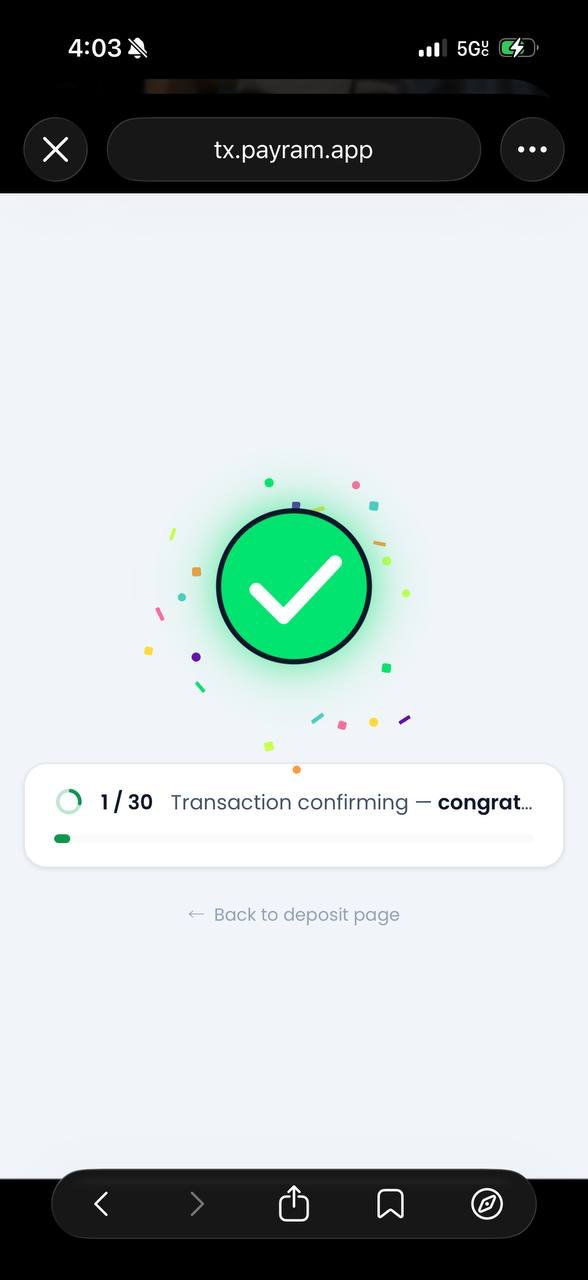
Wait a few seconds while your order processes, then you'll see a confirmation and be redirected back to Echelon Labs.
What You'll See (Screenshots)
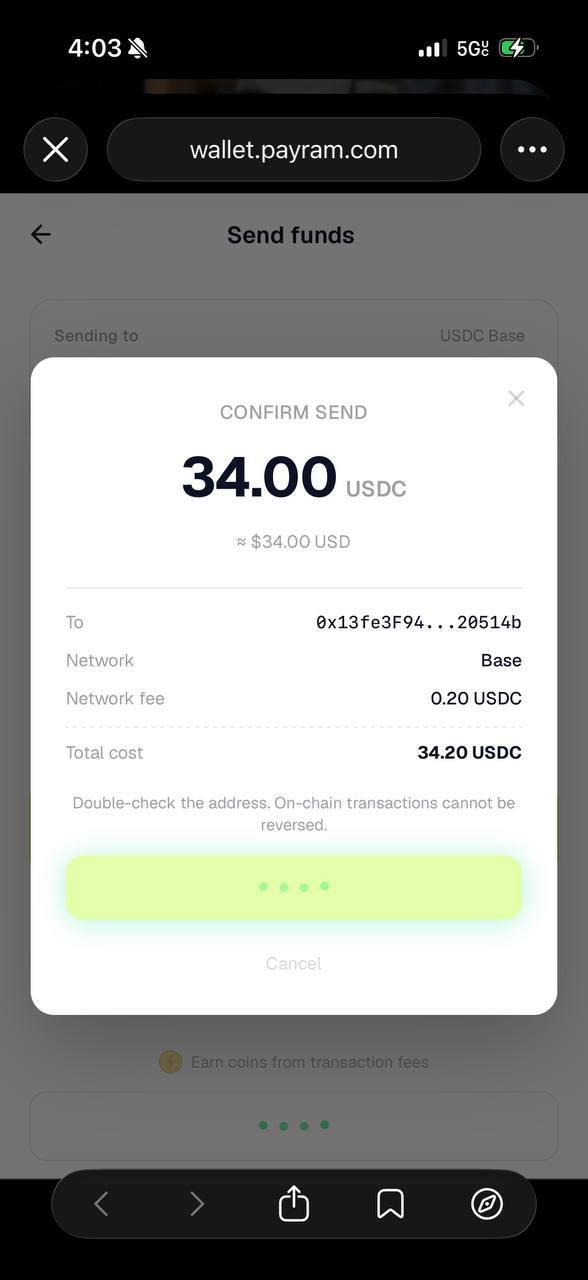
A real walkthrough of the card payment flow, step by step:
Option 2: Paying Directly With Crypto (USDC)
1
At checkout, select “Pay by Card or Crypto” and click Place Order.
2
You'll be redirected to our secure payment page, showing the exact amount due and a USDC wallet address.
3
Send the exact amount from your own wallet or exchange to the address shown. Double-check the address and network before sending — on-chain transactions cannot be reversed.
4
Once your payment is detected, the page shows “Deposit received” and your order confirms automatically — usually within a minute or two.
Good to Know
- Keep the payment tab open until you see the confirmation screen — it's the fastest way to confirm your order.
- Sending slightly more than the amount due is fine — you may see “You sent more than the expected amount,” which is normal.
- Crypto payments require no identity verification.
- Stuck or unsure? Get in touch with our support team and a real person will help you complete your order.
Still Confused? Watch the Walkthrough
If you'd rather see it in action, this short video walks you through the entire payment process step by step.
Still stuck? We're here to help.
If anything isn't working or you'd like us to walk you through it, just get in touch and a real person will help you complete your order.